

silverpass
CAN STILL CLAIM.4 QUESTIONS · LARGE TEXT MODE
BUILT BY DEEPTECH AI
The benefits your parents can claim, found with four questions
A platform that makes public benefit information for older adults easy to read. Pick where you live and your age, and it shows grants, jobs, care and health information with the numbers to call.
DeepTech AI planned, designed and built it. It is currently in a free pilot.
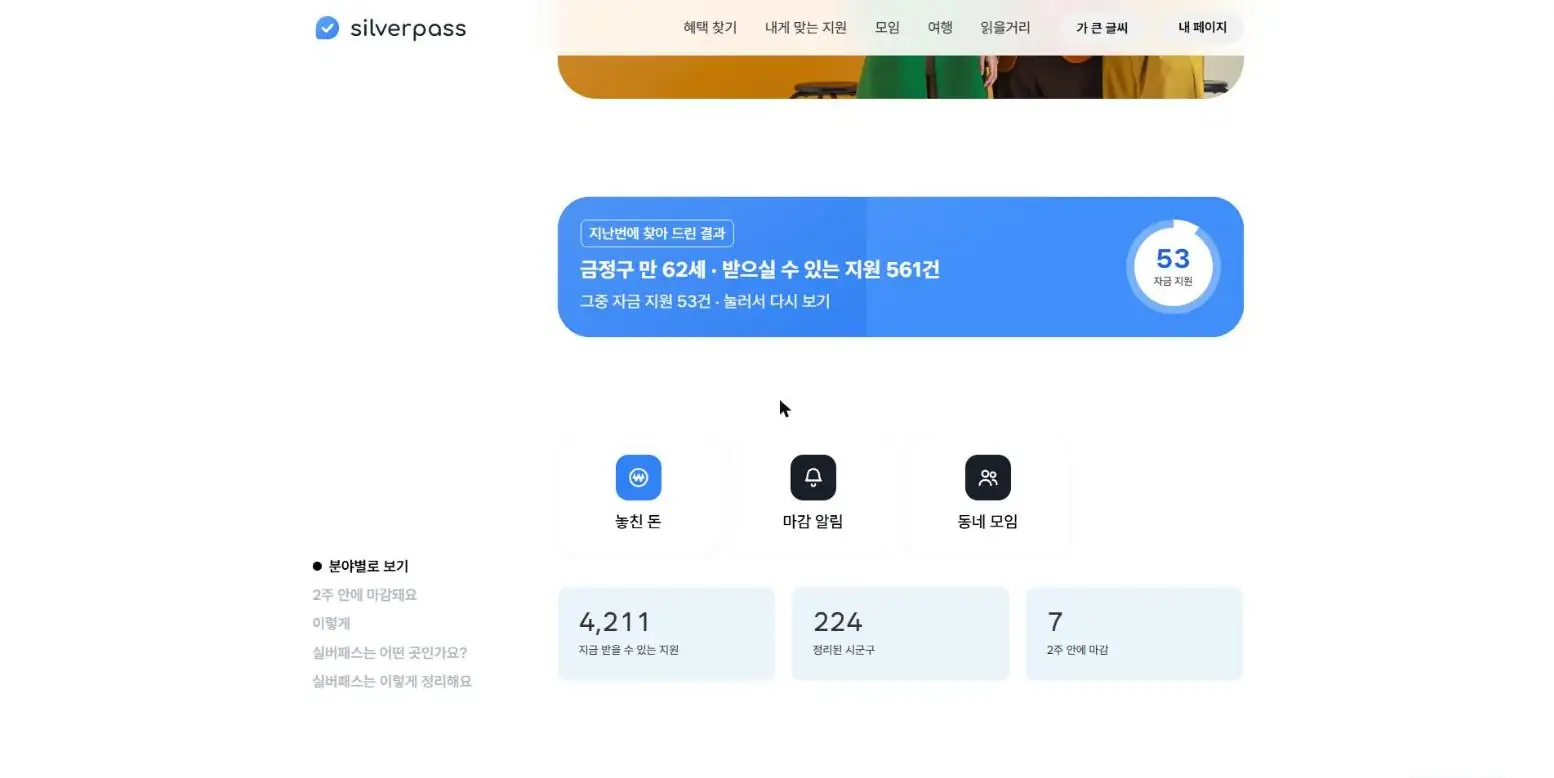 Live screen · silverpass.co.kr ↗
Plenty of benefits, but the way to find them was too long
Older adults don’t know what benefits exist, and their children struggle to look on their behalf. So the site needs no sign-up and no search terms: answer a few questions and the benefits you can receive come first.
Built for the phone first
Benefits you may receive0
Missed-money finder — answer and see results
Answer questions such as region and age and the benefits you are likely to receive appear at once. Benefits outside your region are left out, and each comes with a number to call.
- 01Results without logging in
- 02Only benefits for your region
- 03Save results and get deadline alerts
- 04Send to family
From four questions to one phone call
One button on the first screen leads in a single line to the results and the number to call.
Where the banners and buttons sit
One large button sits at the centre so first-time visitors know what to press; everything else steps back.
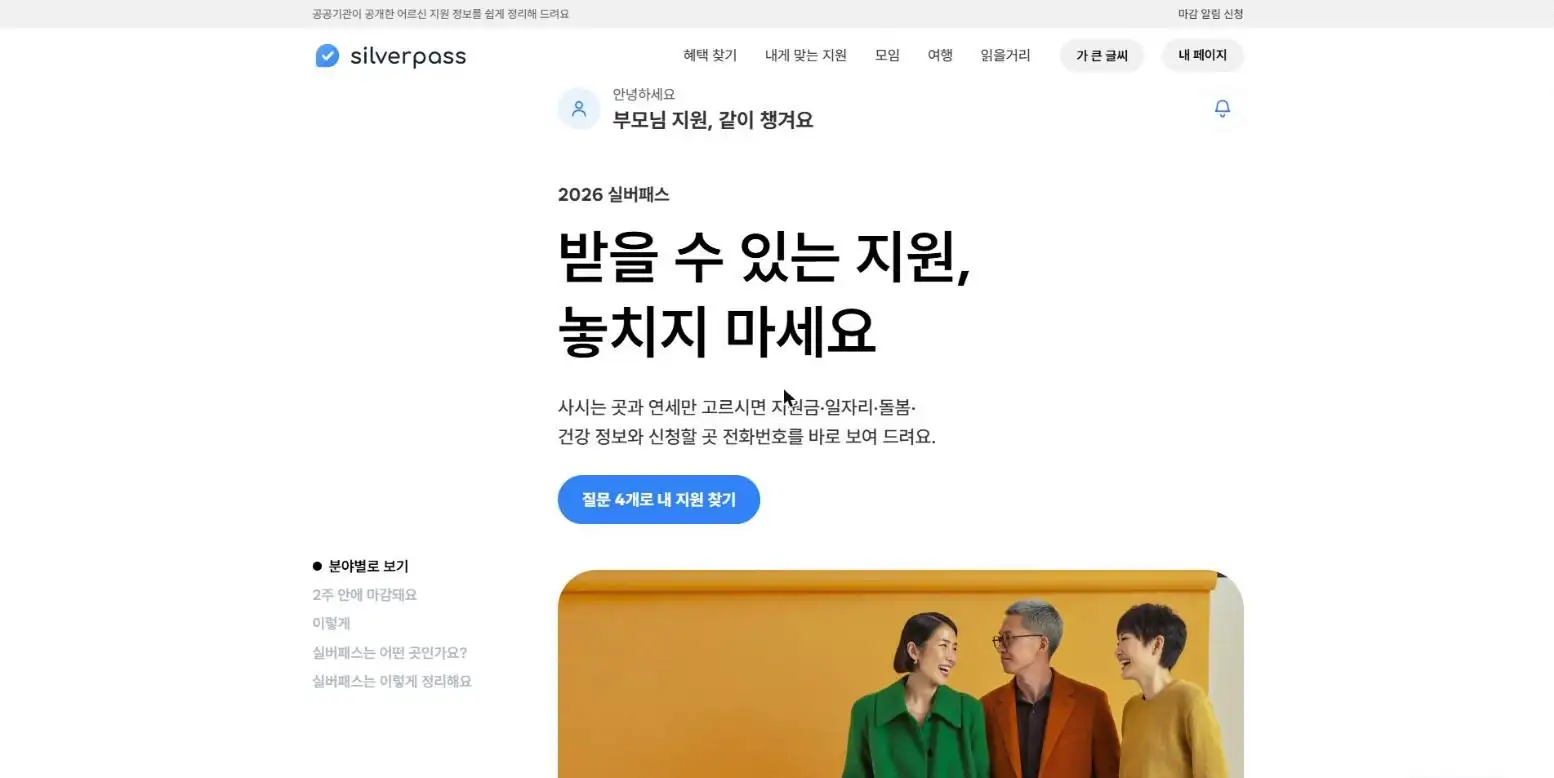 12345
- 1One-line notice
The top line says what the information is.
- 2Large text button
Always visible beside the menu.
- 3My page
Saved results and alerts in one place.
- 4Find my benefits
The single largest button on the first screen.
- 5Browse by topic
A side index for deadlines and how-tos.
How we built it
Every site has a different job, so each is built differently. These are the four things we put the most into.
Four questions to your benefits
Answer four questions such as region and age, and only the benefits you can receive are shown. Benefits outside your region are left out.
Screens made for older eyes
Large text mode makes letters and buttons clearly bigger, and the site is built phone-first.
A reminder before the deadline
Benefits closing within two weeks are gathered in one place, and you can sign up for deadline alerts.
Meetups, trips and reading
It goes beyond benefits, with nearby meetups, trips and useful reading for daily life.
At a glance
| Field | Benefits information platform for older adults |
|---|---|
| Language | Korean |
| Status | Free pilot |
| What DeepTech AI does | Planning · design · development |
| Address | silverpass.co.kr ↗ |